


Blood Sugar Diary for Diabetes
4.5144.00 Reviews
App Specs
- Version
- 1.3.0
- Updated On
- License
- Free
- Downloads
- 5,000,000+
- Developer
- Cards
- Categories
- Medical
- Platform
- Android
Screenshots
 Analysis by AppCompare
When I’m deciding whether a glucose diary is worth keeping on my phone, I start with a practical question: will logging feel manageable on an ordinary, busy day, and will the record be useful later? Blood Sugar Diary for Diabetes is aimed at that everyday tracking job. It is a free medical app from Cards, rated for Everyone, and its focus is keeping blood sugar readings together so they can be reviewed over time. I see it as a personal record-keeping tool, not a substitute for medical advice or a device that measures glucose for you.
Choose it for the job you actually need done
For me, a useful diary has to make repeated entries less of a chore and help me arrive at an appointment with a clearer picture than “I think it was higher after lunch.” This app is most appealing if you already check your glucose and want a dedicated place to record readings, look back at them, and discuss the pattern with a clinician. A diary only helps when entries are consistent, so a simple routine matters more than a long list of options.
A realistic use case is a person who checks at different points in the day and tends to forget the context by evening. I would enter a reading soon after taking it, using the relevant time or meal category where available, rather than trying to reconstruct the day later. Before an appointment, I would review the record and note questions to ask. That small workflow can make a conversation more concrete, but the clinician—not the app—should interpret readings and advise on treatment.
Where a focused glucose diary earns its place
The appeal here is concentration: instead of spreading readings across scraps of paper or a general notes app, I can use a space intended for blood sugar tracking. The app’s central promise is to monitor, track, analyze, and convert readings, and that makes it a sensible candidate for someone who wants a dedicated diary rather than a broad wellness dashboard. Its average rating is 4.4 from around 21,000 ratings, and it has more than five million installs, suggesting that this kind of straightforward tracking has found a substantial audience.
One useful habit is to keep the timing and context of entries consistent. If I record a reading before a meal one day and after a meal the next without marking the difference, later comparisons can be misleading. I would treat labels and timestamps as part of the reading, not optional decoration. Likewise, I would avoid drawing conclusions from a single surprising result; a diary is more valuable for organizing a series of observations than for prompting an immediate change in medication or diet.
When another kind of option may fit better
A paper log can be a better fit for someone who prefers not to use a phone during checks, wants a record that is always physically at hand, or finds app routines distracting. A general notes or spreadsheet tool may suit a person who needs a highly customized format, though that flexibility can mean more setup and less structure. Someone who already relies on a glucose meter or another health platform for recording readings may also prefer to keep everything in that existing system instead of duplicating entries here.
The trade-off is that a focused diary is only as useful as the information it lets you record and the consistency you can maintain. If your main priority is linking food, activity, devices, or other health records in one place, compare the available options on those specific needs before committing. I would not assume a diary can automatically capture readings or connect to equipment just because it is designed for glucose tracking. Check how the current app behaves on your own device and make sure its workflow suits the way you measure.
Worth Reading Before You Choose

Baby Panda World Brings Quick Play to Modern Phones, but Its Game Library Feels Busy

ESPN’s Live Game View Makes Following Close Games Easier

QuizzLand Review: A Good Fit for Short Trivia Breaks, Not Every Player

Basketball Stars: Multiplayer Is Fast, but Can It Recover When Matches Go Wrong?

WEBTOON Turns Phone Updates Into a Better Reading Routine

Link to Windows Runs on Shared Habits, Not Social Feeds
What it takes to change your routine
Switching from a paper notebook or another app is not difficult in theory, but old records are valuable only if they remain accessible. Before moving your routine, I would keep a copy of anything I already rely on and check whether the new diary can preserve the format I need. If you are beginning from scratch, start with a small, repeatable habit: enter each reading close to the time it is taken, and review the record at a regular interval. Avoid trying to backfill a long history from memory; incomplete guesses can make the diary look more precise than it is.
The app is free to download, with in-app purchases ranging from $0.99 to $99.99 per item. I would look at any purchase details carefully before paying and decide whether the free experience already covers your routine. It was released on May 29, 2020, and the current version is 1.2.5, with Android 5.0 as the minimum operating system. Those details matter if you are using an older phone or deciding whether to install it on a device you keep for health tasks.
Getting Started with Your Blood Sugar Buddy
First things first, downloading Blood Sugar Diary for Diabetes was a breeze. Available on both Android and iOS, it took me just a couple of taps to get it on my device. Once installed, the user-friendly interface greeted me with a clean design that made navigation feel intuitive. No clutter, no hassle—just straightforward access to the features I needed.
Simplicity at Its Best
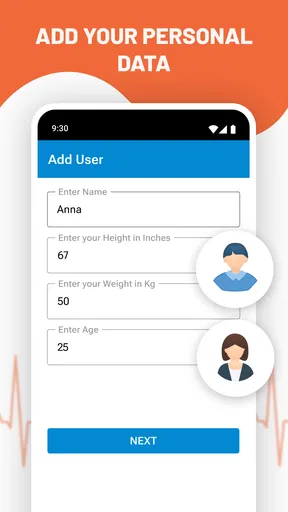
The app kicks off with a simple onboarding process. It asked for some basic information like age, weight, and diabetes type. Within minutes, I was ready to log my first entry. The process was as smooth as butter, and I didn’t feel overwhelmed with unnecessary data fields. This simplicity is a breath of fresh air, especially when you’re juggling multiple things in life.
Features That Stand Out
Here's where the magic happens. The Blood Sugar Diary for Diabetes is packed with features designed to make life easier for anyone managing diabetes.
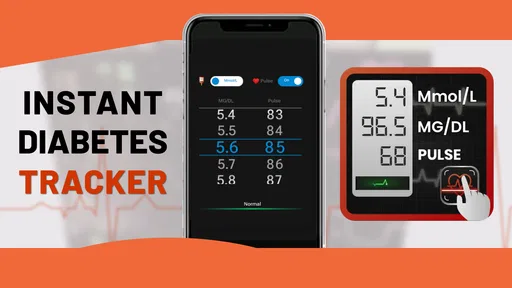
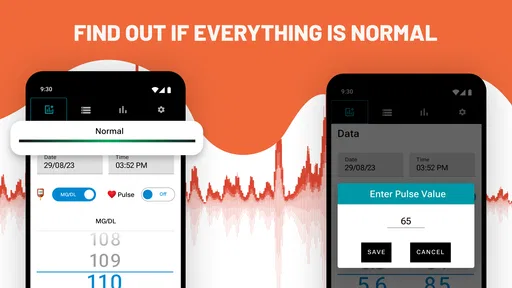
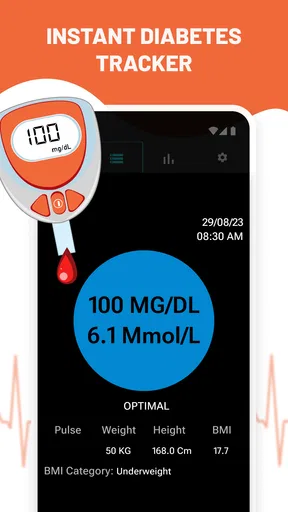
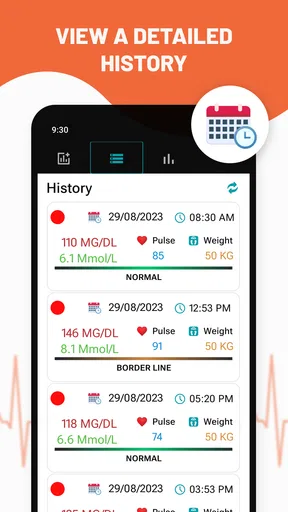
- Blood Sugar Logging: Entering your blood sugar levels is a cinch. The app allows you to add readings with timestamps, and it even suggests categories like fasting, pre-meal, or post-meal.
- Medication Tracking: You can log your medication doses, ensuring you never miss a beat. The reminders feature especially caught my eye—set it and forget it, and the app will nudge you when it’s time for your next dose.
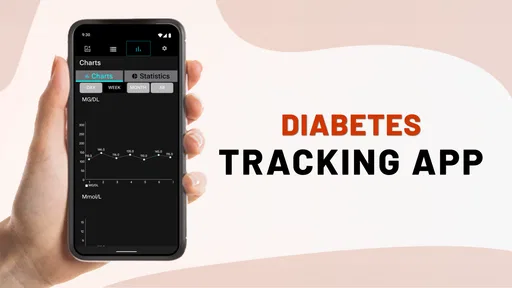
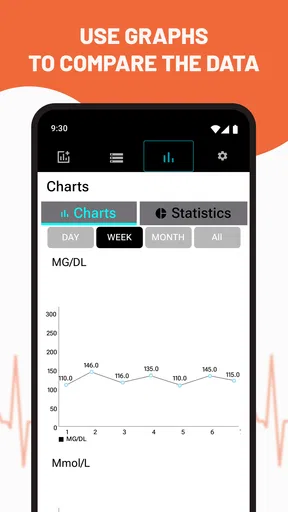
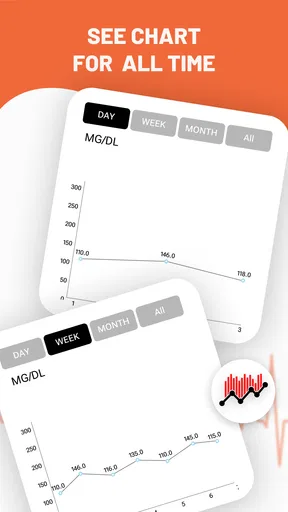
- Comprehensive Insights: The app generates detailed graphs and charts that provide insights into your blood sugar trends. I found this feature incredibly helpful for spotting patterns and understanding how my lifestyle choices affect my glucose levels.
- Exporting Data: Sharing your data with healthcare providers is a breeze. You can export your logs as a PDF or CSV file, making those doctor visits a little less daunting.
Keeping It Fun and Engaging
One thing I appreciated was how the app kept things light and engaging. With motivational quotes and tips sprinkled here and there, it felt like having a little cheerleader in my pocket. These small touches go a long way in maintaining motivation, especially on those tough days.
My Personal Experience
As someone who occasionally struggles to keep up with health apps, I found Blood Sugar Diary for Diabetes to be refreshingly straightforward. The ability to customize reminders and the seamless data entry made it easy to incorporate into my daily routine. Plus, the app’s regular updates mean it’s always getting better.
However, like any app, it’s not without its quirks. There were moments when I wished for a more detailed food diary feature or integration with fitness apps. But these are minor gripes compared to the overall utility it offers.
Wrapping It Up
In the end, Blood Sugar Diary for Diabetes is a solid choice for anyone looking to manage their diabetes more effectively. It brings together essential features in a user-friendly package, making it a must-have for your health app arsenal. Whether you're a tech-savvy individual or just someone trying to take control of your health, this app offers the tools you need to stay on top of your blood sugar levels.
If you're ready to simplify your diabetes management, give Blood Sugar Diary for Diabetes a try. You might just find it’s the companion you've been looking for.
My recommendation depends on your tracking style
I would recommend trying it if you want a purpose-built place to keep glucose readings and are comfortable entering them yourself. The strongest reason to choose this diary is not that it replaces a meter or makes treatment decisions; it is that a regular record can help you describe what has been happening between appointments. If that is the gap in your routine, a focused app may be easier to stick with than a loose collection of notes.
I would skip it if you expect a complete diabetes-management system that automatically brings together every part of your care, or if recording readings on a phone feels like a burden. In that case, a paper record, your existing device’s companion software, or a more comprehensive health platform may be a better match. Whichever route you take, keep the method simple enough that you will actually use it, and take questions about readings or treatment to your healthcare professional.
Pros
- User-friendly interface for easy tracking
- Customizable reminders for medication
- Comprehensive data analytics
- Syncs with fitness devices and apps
- Secure data storage and privacy
Cons
- No offline mode available
- Limited features in free version
- Ads can be distracting at times
- Requires frequent manual input
- No integration with all glucometers
FAQs for Blood Sugar Diary for Diabetes
What features does the Blood Sugar Diary for Diabetes app offer?
The Blood Sugar Diary for Diabetes app provides users with tools to track blood glucose levels, set reminders for medication, log meals, and monitor physical activity. It also offers customizable charts and reports, which can be shared with healthcare providers to facilitate better management of diabetes.
Is the Blood Sugar Diary for Diabetes app user-friendly for beginners?
Yes, the app is designed with an intuitive interface that is suitable for users of all experience levels. It features easy navigation, clear instructions, and customizable settings, making it simple for beginners to log data and monitor their health effectively without feeling overwhelmed.
Can I sync the app with other health devices or apps?
The Blood Sugar Diary for Diabetes app supports integration with various health devices and apps. Users can sync their data with fitness trackers, smart scales, and other health apps, providing a comprehensive overview of their health metrics in one convenient location.
Is my data secure in the Blood Sugar Diary for Diabetes app?
Yes, the app prioritizes user privacy and data security. It employs encryption and secure storage methods to protect personal health information. Users have control over their data, with options to export or delete information as needed, ensuring a secure experience.
Does the app support multi-language options?
Currently, the Blood Sugar Diary for Diabetes app offers support for multiple languages. This feature ensures that users from different regions can use the app comfortably in their preferred language, enhancing accessibility and user experience across diverse demographics.


